Can you spot a scam? Warning signs everyone should know.
Scammers are constantly finding new ways to make fraudulent messages, phone calls, websites, and payment requests look legitimate. A scam may appear to come from your bank, a government agency, a business, a family member, or someone you know.
Knowing the warning signs can help you pause before sharing information, clicking a link, sending money, or approving a transaction.
Whether you receive a suspicious phone call in NEPA, a text message about your bank account, or an unexpected payment request at work, stop and verify before you act.
Common Warning Signs of a Scam
Someone is creating a sense of urgency
Be cautious when someone tells you that you must act immediately or something bad will happen if you do not.
Examples include:
- “Your account will be closed today.”
- “Your payment must be made immediately.”
- “Your computer has been compromised.”
- “You will be arrested if you do not pay.”
- “You must verify your account right now.”
Urgency can make it harder to stop and evaluate whether a request is legitimate.
Someone asks for information they should not need
Be cautious if an unexpected caller, text, email, or website asks for sensitive information such as:
- Online banking usernames or passwords
- Debit card or credit card numbers
- Social Security numbers
- Account numbers
- Personal identification information
- One-time verification codes
- Online banking security information
Never assume a request is legitimate simply because the person knows some information about you.
Back to top
Someone asks for a verification code
A one-time verification code is intended to help confirm your identity. An unexpected caller who asks you to provide that code may be attempting to gain access to an account.
If someone contacts you and asks for a code that was sent to your phone or email, stop and verify the request through a trusted channel.
Someone tells you to move your money to “protect” it
Be extremely cautious if someone claiming to be from a bank, government agency, law enforcement, or another trusted organization tells you to move money to another account to keep it safe.
A scammer may claim that your account has been compromised and that transferring your funds will protect them.
Do not rely on the caller’s instructions. End the conversation and contact the organization using a telephone number or website you know is legitimate.
Back to top
Someone tells you to keep the transaction secret
Requests for secrecy are a warning sign.
A scammer may tell you not to discuss the situation with your family, bank, coworkers, or anyone else because doing so could supposedly interfere with an investigation or transaction.
Legitimate organizations generally do not need you to keep an unexpected financial transaction secret from your bank or trusted advisers.
Someone demands an unusual form of payment
Be cautious when someone insists that you pay using methods that are difficult to reverse or recover.
Examples can include:
- Gift cards
- Cryptocurrency
- Wire transfers
- Cash
- Certain peer-to-peer payment methods
A legitimate business may accept several forms of payment. A demand for an unusual payment method, particularly when combined with urgency or threats, deserves additional scrutiny.
Back to top
Someone wants remote access to your computer or phone
Be cautious if an unexpected caller claims to be technical support, a bank representative, or another service provider and asks you to install software or give them remote access to your device.
Remote access can allow another person to view information on your device or take actions on your behalf.
Do not provide remote access simply because someone claims your device or account has a problem.
A message contains a link you were not expecting
Unexpected links deserve caution, particularly when the message claims that you must sign in, verify information, make a payment, or resolve an account problem.
A fraudulent website may look very similar to the legitimate website it is impersonating.
Instead of using an unexpected link, go directly to the organization’s known website or use a trusted telephone number.
The caller ID or email address looks legitimate, but you haven’t verified it yet
Scammers can make telephone numbers, names, logos, email addresses, and other identifying information appear legitimate.
Caller ID alone does not prove who is calling.
Likewise, seeing a familiar company name or logo in an email does not prove that the message came from that organization.
Verify unexpected requests independently.
Back to top
Someone tells you that you won money
Be skeptical of unexpected claims that you have won a lottery, sweepstakes, prize, or contest you do not remember entering.
A request to pay money or provide sensitive financial information before receiving a supposed prize is a significant warning sign.
Someone sends you money and asks you to send some of it back
Be cautious if someone sends you a check, payment, or electronic transfer and then asks you to return part of the money.
This can be part of an overpayment or counterfeit-check scam. A payment may appear to have been deposited before it is ultimately determined to be fraudulent.
Do not assume that available funds mean the payment is legitimate.
Someone you met online asks for money
Be cautious when someone you have met through social media, a dating site, an online community, or another online service asks you to send money.
Romance and relationship scams can involve requests for money related to supposed emergencies, medical expenses, travel, investments, or other financial problems.
A person can build a relationship and gain your trust before asking for money.
Back to top
Stop. Verify. Then Act.
If an unexpected request involves your money, account, personal information, or computer, take a moment before responding.
Stop
Do not click, send money, provide a password, share a verification code, or give remote access simply because someone tells you to.
Verify
Contact the organization, person, or business using information you obtained independently.
For example, if someone claims to be calling from your bank, do not rely solely on the telephone number provided by the caller. Use a trusted telephone number or another established method of contacting the bank.
Act
Once you have independently verified the situation, decide how to proceed.
If you believe you have already responded to a scam or provided information to a scammer, visit What to Do If You Have Been Scammed for steps you can take.
Trust Your Pause
Scammers often try to prevent you from taking time to think, ask questions, or verify what you are being told.
A request involving your money or sensitive information does not become legitimate simply because someone sounds convincing or knows personal details about you. Review some of the known scam methods.
If something feels unexpected, pressured, or inconsistent with what you normally experience, pause and verify before you act.
Remember These Three Questions
Before responding to an unexpected financial request, ask:
1. Do I know who contacted me?
Do not assume that a familiar name, telephone number, logo, or email address proves the person’s identity.
2. Was I expecting this request?
An unexpected request for money, account information, a verification code, or access to your device deserves additional scrutiny.
3. Can I verify it independently?
Use a trusted telephone number, official website, known contact, or another reliable source rather than relying on information supplied by the person who contacted you.
When in Doubt, Stop and Verify
Scammers can imitate legitimate organizations and create convincing messages. No single warning sign identifies every scam, and legitimate communications can sometimes look unusual.
The safest response to an unexpected request involving your finances or sensitive information is to slow down and verify it independently before taking action.
Fidelity Bank serves individuals, families, and businesses throughout Northeastern Pennsylvania and the Lehigh Valley. If you believe you have already responded to a scam, provided sensitive information, or sent money to a scammer, see What to Do If You Have Been Scammed for information about next steps.
If you think you’ve been scammed, acting quickly can help limit further loss and protect your accounts and personal information. Whether you shared sensitive information, sent money, clicked a suspicious link, or noticed an unfamiliar transaction, there are steps you can take to respond.
If the scam involves a Fidelity Bank account, contact Fidelity Bank as soon as possible at 1-800-388-4380 and report the incident.
Fidelity Bank’s Security Center also provides guidance for suspected fraud, phishing, identity theft, and lost or stolen cards. This guide explains what to do after a suspected scam, how to protect your accounts, when to contact your bank, and where to report the incident.
If you haven’t sent money yet
- Stop communicating with the scammer. Don’t respond or continue the conversation.
- Don’t click additional links
- Don’t provide passwords or verification codes
- Independently contact the organization via a trusted phone number or official website.
If you already sent money
-
Contact your bank immediately
-
Tell them exactly what happened and when.
Depending on the payment method, the available recovery options can differ.
The sooner a fraudulent transaction is reported, the more quickly the institution can determine what steps may be available.
If you gave away your password, verification code or your computer was compromised
- If you gave away your password
Change it immediately and change it anywhere else you reused it.
- If you gave away a verification code
Contact the affected institution immediately.
- If your computer was compromised
Disconnect it from the network as appropriate and seek technical assistance.
Save:
- emails
- texts
- screenshots
- phone numbers
- payment information
- receipts
- websites
- usernames
- cryptocurrency wallet addresses, if applicable.
ReportFraud.ftc.gov portal or by calling the FTC at 1-877-382-4357.
FBI’s Internet Crime Complaint Center
Scams can take many forms, but most are designed to trick you into sharing personal information, sending money, giving someone access to your accounts, or making a payment you did not intend to make. Fidelity Bank customers and other consumers in NEPA and the Lehigh Valley may encounter scams through phone calls, text messages, emails, social media, websites, or even in-person contact.
This page describes common types of scams and how they typically work.
You can learn some of the techniques for these scams, visit Can you spot a scam? Warning signs everyone should know.
If you believe you have already responded to a scam or provided information to a scammer, visit What to Do If You Have Been Scammed for steps to take.
Scams Can Take More Than One Form
Scams do not always fit into one category. For example, a scammer may use a bank impersonation phone call, send a fraudulent text message, and then direct you to a phishing website. Other scams may combine social engineering with fraudulent payments or attempts to obtain account credentials.
Common Scams
Phishing Scams
Phishing scams use fraudulent emails, websites, or other online messages to persuade you to provide sensitive information. A message may appear to come from a bank, business, government agency, or another organization you know.
A phishing message may direct you to a website that looks legitimate and ask you to enter information such as a username, password, account number, or other personal information.
Common channels:
- Email
- Fake websites
- Online advertisements
- Social media messages
Example: You receive an email claiming there is a problem with your bank account and are instructed to sign in through a provided link.
Back to top
Smishing Scams
Smishing is phishing conducted through text messages or SMS.
A scammer may send a message claiming that a payment needs to be verified, an account has been locked, a package cannot be delivered, or an unusual transaction has occurred.
The message may contain a link or telephone number intended to lead you to a fraudulent website or to a scammer.
Example: A text message claims that your debit card has been temporarily locked and provides a link to “verify” your account.
Back to top
Vishing and Impersonation Scams
Vishing scams use telephone calls or voice messages to obtain information or persuade someone to send money.
Scammers may pretend to represent a bank, government agency, technology company, law enforcement agency, or another trusted organization.
Caller ID information can be manipulated, so the telephone number displayed on your phone does not necessarily establish who is calling.
Example: Someone calls claiming to be from your bank and asks you to provide a verification code to “secure” your account.
Back to top
Bank Impersonation Scams
In a bank impersonation scam, someone pretends to be a representative of your bank.
The scammer may claim there has been suspicious activity on your account and create a sense of urgency. The objective may be to obtain account information, login credentials, authentication codes, or money.
A scammer may also use a bank’s name, logo, telephone number, or other identifying information to appear legitimate.
Back to top
Romance Scams
Romance scams begin when a scammer develops a relationship with someone through a dating website, social media platform, messaging service, or another online channel.
After establishing trust, the scammer may ask for money or claim to have an emergency, financial problem, medical expense, travel problem, or investment opportunity.
The person requesting the money may never be who they claim to be.
Back to top
Investment and Cryptocurrency Scams
Investment scams promise opportunities to make money through investments, cryptocurrency, trading, or other financial products.
Scammers may use websites, social media, text messages, online advertisements, or personal relationships to promote fraudulent investments.
Some scams involve fake investment platforms that display fabricated account balances or investment returns.
Example: Someone you met online encourages you to transfer money to a cryptocurrency platform and promises unusually high returns.
Back to top
Government Impersonation Scams
Government impersonation scams involve someone pretending to represent a government agency.
Scammers may claim that you owe money, have violated a law, have an outstanding warrant, or must provide personal information to resolve a government matter.
The scammer may demand immediate payment or threaten legal consequences.
Commonly impersonated organizations can include government agencies, courts, law enforcement agencies, and tax authorities.
Back to top
Tech Support Scams
In a tech support scam, someone claims that your computer, phone, or another device has a security problem.
The scammer may ask you to install software, provide remote access to your device, disclose passwords, or pay for unnecessary services.
Some scams begin with a phone call, while others use pop-up messages or fraudulent websites.
Example: A pop-up warning claims your computer has been infected and provides a telephone number for “technical support.”
Back to top
Online Shopping Scams
Online shopping scams involve fraudulent sellers, websites, advertisements, or listings.
A scammer may advertise merchandise at an unusually attractive price, accept payment, and then fail to provide the merchandise. A fraudulent website may also be designed to collect payment or personal information.
These scams can appear on social media, online marketplaces, search engines, or standalone websites.
Back to top
Lottery, Sweepstakes and Prize Scams
In a prize scam, someone tells you that you have won money, merchandise, or another valuable prize.
The scammer then asks you to pay a fee, provide financial information, purchase gift cards, or send money before receiving the supposed prize.
You may be told that the payment is required for taxes, shipping, processing, insurance, or another reason.
Back to top
Grandparent and Family Emergency Scams
Family-emergency scams involve someone pretending to be a relative or someone acting on a relative’s behalf.
The scammer may claim that the family member has been arrested, injured, stranded, hospitalized, or otherwise needs money immediately.
The scammer may ask you to keep the situation secret or send money through a payment method that is difficult to reverse.
Back to top
Business Email Compromise
Business email compromise, sometimes called BEC, targets businesses and their employees.
A scammer may impersonate an executive, employee, vendor, customer, or business partner and request a payment, wire transfer, change in payment instructions, or sensitive information.
These scams can be particularly damaging because the request may appear to be part of a normal business transaction.
Example: A fraudulent email appears to come from a company’s executive and asks an employee to send a wire transfer to a new account.
Back to top
Invoice and Payment Scams
Invoice scams involve fraudulent or altered invoices and payment requests.
A scammer may impersonate a vendor or business partner and provide different payment instructions. The request may look similar to a legitimate invoice.
Businesses should be particularly cautious when an existing vendor suddenly provides new payment instructions.
Back to top
Check Scams
Check scams can involve counterfeit checks, altered checks, fraudulent payments, or requests to deposit a check and send some of the money elsewhere.
A scammer may claim that you have been overpaid and ask you to return the difference.
Another variation involves someone sending a check and asking you to forward part of the proceeds to another person or account.
Back to top
Overpayment Scams
An overpayment scam typically involves a person sending you a check or payment for more than you are owed.
The scammer then asks you to return the difference.
The original payment may later be determined to be fraudulent, leaving you responsible for funds that were sent elsewhere.
This type of scam can target individuals, businesses, sellers, landlords, and others who receive payments.
Back to top
Employment and Job Scams
Employment scams advertise fake jobs or contact people with fraudulent employment opportunities.
The scammer may ask for personal information, money, equipment payments, or financial account information as part of the supposed hiring process.
Some scams send a fraudulent check to the applicant and then instruct the applicant to send money elsewhere.
Back to top
Charity Scams
Charity scams exploit people’s desire to help others.
Scammers may impersonate legitimate charities or create fake organizations, particularly after disasters, during holidays, or following major public events.
The scammer may request donations through a website, telephone call, email, text message, or social media account.
Back to top
Mortgage and Real Estate Scams
Mortgage and real estate scams can target homeowners, homebuyers, sellers, and borrowers.
Examples include fraudulent mortgage assistance offers, fake property listings, wire-transfer fraud involving real estate transactions, and requests to send closing funds to an altered account.
Real estate transactions can involve large amounts of money, making payment-instruction fraud particularly serious.
Back to top
Utility and Service Scams
Utility scams involve someone pretending to represent an electric, gas, water, telephone, internet, or other service provider.
The scammer may claim that your service will be disconnected unless you make an immediate payment.
Payment may be requested through methods that are difficult to reverse.
Back to top
Digital banking: is it really more secure?
When it comes to managing finances in a digital world, headlines can be overwhelming, and sometimes, downright scary. It can be difficult to know what technology is safe to use and what products pose risks. To help sort it out, we’re offering up some insights and strategies for modern money management from Assistant Vice President and Client Care Manager, Kristin Grow.
What are common concerns people talk to the Client Care Center about?
The Client Care Center is a full-service “branch” – the Fidelity Bankers here offer the same service and guidance as the Bankers in any of our branches – so we get a myriad of calls and chats! Often though, the questions focus on the soundness of digital banking tools. Some people think their account numbers will be compromised if they use online banking. Others have experienced an issue in the past with debit cards being compromised, and they worry that’s going to happen again. None of that is really the case. Technology always changes, and Fidelity Bank is constantly taking measures to ensure electronic banking tools are secure and safe for its clients.
What is multi-factor authentication?
It’s an authentication method that recognizes the device that people regularly use. If someone logs in using their mobile device, it recognizes that mobile device. It requires people to input the username and password that they create. If they sign in on a different device, it will ask them to validate their identity in a different way and ask additional security questions. That prevents fraudsters from accessing bank information. It’s very secure. Learn more at “October Is Cybersecurity Awareness Month“.
What’s the difference between mobile and remote deposits, and does multi-factor authentication apply to them, too?
Absolutely. Mobile deposits allow clients to deposit funds into their checking or savings accounts anytime, anywhere, simply by taking a picture of the check on their cell phone. The app uses multi-factor authentication. Plus, many people set up their phones with Touch ID or Face ID, which requires biometrics to access apps. ( Read the guidelines on best practices for safely making mobile deposits).
Remote deposit for businesses is great. It allows business owners to scan checks on their computer or mobile device and transmit the images or data to Fidelity in just a few simple steps. All of these mobile applications save time, which is vital when you’re running a business.
How is the Fidelity Mobile Banking App protected?
The app is password protected and uses multi-factor authentication. Clients can also set up biometrics to log in, which requires a physical characteristic of that user. Plus, clients may password-protect their mobile device(s), too. The system is created with the highest level of security available to provide peace of mind when you access your accounts.
Paper bank statements via snail mail vs. electronic bank statements via email… What’s safest?
Electronic statements are so much safer than paper. The latter go through the mail and then sit in a mailbox, and they include account numbers, waiting to be compromised. If someone wants a physical statement, they can print their electronic statement. That way, it’s not passing through several hands before it gets to the mailbox.
Are digital wallets safe?
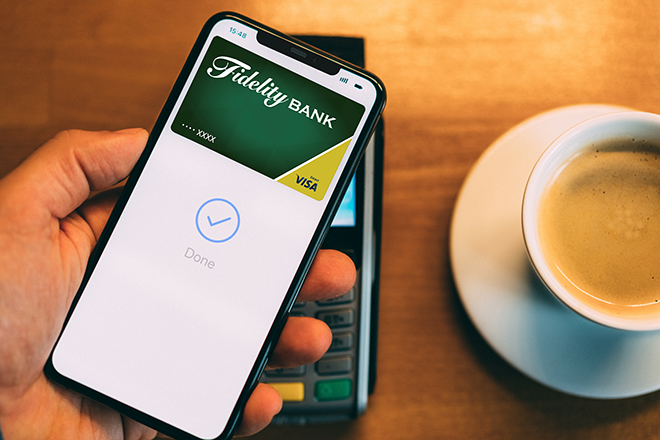
The Fidelity Bank Visa® Debit Card can be added to the digital wallet of your choice: Apple Pay, Android Pay, or Samsung Pay. Once your debit card is in your digital wallet, you can pay using your phone instead of physically swiping a debit or credit card. Digital wallets transmit a one-time authentication code, which means the card number never passes through to a merchant, eliminating the chance that the account number could ever be compromised through that merchant. It’s safer than using a card. It’s quicker than using a card, and clients don’t have to worry about cards getting lost or stolen.
Setting up the digital wallet properly is important. Feel free to reach out to a banker in the Client Care Center at 1.800.388.4380 for help with enrollment.
Web Bill Pay vs. automatic deductions with service providers, what’s safer, more efficient?
Web Bill Pay. It saves time and money. Web Bill Pay can be set up to make individual payments or recurring payments on pre-scheduled dates. Clients can access Web Bill Pay any time, and the system is available for both personal and business use. The service is free to clients who use it to pay a minimum of two bills per month.
Learn more about Web Bill Pay.
A few more tips …
- To determine if a website is secure, look at the address. Secure sites always begin with https://”. The “s” indicates “secure.”
- Use caution when using an ATM that is not on bank premises. Always check for skimming devices by jiggling the piece on the machine where cards are inserted. If that piece comes loose, there is probably a skimmer on it. Skimmers are devices used by fraudsters to obtain card information so they can duplicate it and use it.
- Another sign that something is amiss: receiving an unexpected check, or a check in a higher amount than was expected, for an online sale. Chances are the sender is a fraudster. Never provide a bank account number or wire money back to the sender. If they’re asking for these things, it’s a scam.
- Do not respond to requests from anyone claiming to be the IRS or a debt collection company saying a debt may be paid by purchasing gift cards. It’s a scam.
- Change passwords to all online accounts every 60 days. Use something that’s hard to guess, which contains a combination of capital letters and numbers. Stay away from using the same password for everything, and don’t store passwords on computers or phones. Store them in a designated password notebook in a secure place where no one else knows about it or can access it.
- Don’t share debit cards with family and friends who are not named on the account.
- Be extremely cautious with online shopping and conducting online financial business in public places with public WiFi. Do this at home or using the secure WiFi at a Fidelity Bank office.
Questions?
Fidelity’s Client Care Center Bankers are here to help. For assistance, call 1.800.388.4380. The hours are Monday through Friday, from 8:30 a.m. to 6 p.m. and Saturday from 9 a.m. to 1 p.m.
Learn More
Fidelity Bank has built a strong history as a trusted financial advisor and continues its mission of exceeding client expectations through a unique banking experience. It operates 20 full-service offices throughout Lackawanna, Luzerne, Lehigh, and Northampton Counties, along with a limited production commercial office in Luzerne County and a Fidelity Bank Wealth Management Office in Schuylkill County. Fidelity Bank provides a digital banking experience online at www.bankatfidelity.com, through the Fidelity Mobile Banking app, and in the Client Care Center at 1-800-388-4380. Additionally, the Bank offers full-service Wealth Management & Brokerage Services, a Mortgage Center, and an array of personal and business banking products and services.
7 Tips for Avoiding Debit Card Fraud
Pop quiz…
Could you be a victim of debit card fraud if you still physically have the card in your possession?
The answer is yes!
Unfortunately, technology has made it possible for thieves to steal your card without ever laying a hand on it.
Beware of Skimmers
Skimmers are devices that capture the data from the magnetic stripe on your card. Criminals target ATMs because if they can get the card information (by skimmer) and PIN (by sight or camera), they can get cash. They can transfer the data to a blank card and use it to make transactions, causing serious financial damage.
So, how do you protect yourself?
Follow these 7 useful tips and you’ll be on your way.
- Be sure your contact information with Fidelity Bank is up-to-date.
We can’t contact you to report suspicious charges if we can’t reach you.
- Keep the phone number for each of your financial institutions in a handy place.
If you believe fraud has occurred, you can contact the institution(s) immediately.
- Let Fidelity Bank know if you’re planning on traveling, where you’re going, and when.
If you use your card at an unusual location, fraud prevention tools may prohibit the card from working correctly.
- Sign up for banking alerts.
These will notify you when particular changes occur, like large withdrawals. You can sign up for Messenger with Fidelity Bank through Online Banking today.
- Stay away from ATMs that are in dim, unlit locations or that look dirty or in disrepair.
At best, these machines may not work properly, and at worst, may be fake and set up to capture card information.
- Watch for ATMs that appear to have been altered.
If anything looks suspicious, crooked, loose, or damaged, it could be a sign that a skimming device was attached.
- Be aware of your surroundings and avoid machines if suspicious individuals are standing nearby.
Criminals may try to distract you to steal cash or watch as you type in your PIN.
In addition, remember to check your balances on a regular basis so that you can notify your financial institution as soon as you suspect something is amiss. You can reach Fidelity Bank at 1-800-388-4380, seven days a week.
Fidelity Bank has built a strong history as a trusted financial advisor and continues its mission of exceeding client expectations through a unique banking experience. It operates 20 full-service offices throughout Lackawanna, Luzerne, Lehigh, and Northampton Counties, along with a limited production commercial office in Luzerne County and a Fidelity Bank Wealth Management Office in Schuylkill County. Fidelity Bank provides a digital banking experience online at www.bankatfidelity.com, through the Fidelity Mobile Banking app, and in the Client Care Center at 1-800-388-4380. Additionally, the Bank offers full-service Wealth Management & Brokerage Services, a Mortgage Center, and an array of personal and business banking products and services.
How Community Banking Can Help Guard Against Fraud
The way we do business has changed drastically over the past 3 years. With an emphasis on online sales, curbside and delivery services, and remote work environments, businesses have adapted to ensure the safety of their employees and customers. Unfortunately, this shift has created a golden opportunity for scam artists and criminals specializing in business fraud. Now, more than ever, it’s important to protect your business.
How community banks can help:
Community banks have an advantage over national banks because they know their customers. They are more apt to recognize a fraudulent request or a reach-out from an imposter. Fidelity Bank takes its clients’ safety very seriously, and regularly trains, mentors, and educates bankers to be vigilant on your behalf.
7 strategies that can help keep your business safe:
- Monitor credit and accounts:
- Maintain open communication with the Bank:
- This is important when it comes to fraud prevention. Stay in contact with your Banker so they know what you’re applying for, and what you’re not applying for.
- Be wary of unexpected communication.
- Unexpected phone calls: If you get a call that sounds fishy, ask them for a phone number to call back. If something doesn’t feel right, start asking for specifics.
- Unexpected emails with links: Don’t click on links in an email, even if the email looks legitimate to you. If you weren’t expecting an email, don’t click on the link.
- Upgrade technology:
- Business owners need to make sure their technology is up-to-date and in good working order when it comes to backups, patching for Windows, and security software.
- Review disaster strategies:
- Every business owner should have a disaster strategy. Now is the prime time to review the plan and assess whether or not it is still relevant.
- A word about passwords & personal information:
- Never duplicate passwords.
- Never share passwords.
- Never use the real answers to security questions. Make something up and make an electronic list on an encrypted phone (or notebook in a secure location).
- Never share bank account information.
- Never disclose Social Security numbers.
- Separate business and personal technology:
- Don’t store personal information on business computers and avoid using social media unless it is business related.
- Don’t post anything on social media in real-time. Also, social media profiles should not include birth years. Why? Because it’s just another piece of information for a hacker to identify who you are.
Learn More
Fidelity Bank has built a strong history as a trusted financial advisor and continues its mission of exceeding client expectations through a unique banking experience. It operates 20 full-service offices throughout Lackawanna, Luzerne, Lehigh, and Northampton Counties, along with a limited production commercial office in Luzerne County and a Fidelity Bank Wealth Management Office in Schuylkill County. Fidelity Bank provides a digital banking experience online at www.bankatfidelity.com, through the Fidelity Mobile Banking app, and in the Client Care Center at 1-800-388-4380. Additionally, the Bank offers full-service Wealth Management & Brokerage Services, a Mortgage Center, and an array of personal and business banking products and services.
Tips for Business Email Compromise (BEC)
Business Email Compromise (BEC) is a phishing email that targets businesses. Email is by far, the most common way for a business to communicate within the organization and with outside vendors or partners so this is a big threat. Since 2016, there has been over $43 billion lost to BEC scams. There are 5 types of BEC types, but there are a few below.
Business Email Compromise (BEC) – A type of phishing attack that targets an employee within an organization. An email is sent to trick someone into divulging sensitive information or to steal money. They will either impersonate someone you know or convince you that they can be trusted.
Types of Business Email Compromises
- Data Theft – A criminal will use this to collect information. They will find either a phone number or an email address that they can use to further scam the business.
- False Invoice – A criminal will pose as a well-known vendor and send a fake, urgent invoice to an owner or an accounts payable employee. They will ask that the payment be sent to a different checking account usually at a different bank. Once the money is sent, they will drain the account.
- CEO Fraud – A spoofed email where the criminal is masquerading as a CEO. They will ask employees to either send information, send money, or purchase gift cards on behalf of the CEO. Once the gift cards are purchased, the “CEO” will ask for the serial numbers.
- Lawyer Impersonation – These emails have a sense of urgency to them. A criminal will pose as a lawyer and send a link or attachment through email. They will say that it is time sensitive, and you need to open the link or attachment. Opening the attachment can expose a computer to malware.
- Account Compromise – An employee’s email is compromised and used to scam someone else. Once a criminal has access to an employee’s email, they can send of BEC emails to their contacts posing as that employee.
How to spot a BEC Email
Sometimes it can be hard to identity a BEC email but there are a few things to look for. Criminals may be able to use a co-worker’s email, but that does not mean they write emails like your co-workers. When reading through an email take note of the following:
- The composed email does not sound like the sender.
The sender of the email will try to imitate a higher executive, but they will use generic terms to address you and they might misspell words within the email. They will send urgent requests in the hope that you will overlook that the request is out of place.
- You can only contact the sender through emails.
Be suspicious of contacts that only want to converse through emails or text messages. Always ask for a phone number and call it to verify that it is a good number.
- Changes to account numbers or banks are requested.
If you receive an email from a known vendor and requesting changes to the account you send payments to, call the vendor to verify. If you send the money to the fake business account, you may never recover that money.
- You’re asked to keep the conversation secret.
If the sender of an email asks that you keep the conversation secret, you should be wary. Sometimes criminals will ask you to transfer money with urgency, but to not disclose the transaction to anyone because it is a surprise. After this request, they could go dark and be unreachable.
How to Report a BEC Scam
If you become a victim of a BEC scam, the FBI say you need to act quickly. You will need to contact your financial institution as soon as possible. They will be able to contact the bank where the money was transferred to and try to get your money back. There is a chance that you will be able to recover the money, but it is unlikely. You will also need to contact your local FBI office to report the crime. Lastly, File a complaint with the FBI’s Internet Crime Complaint Center.
Cyber Security Tips for this Holiday Season
The holiday season is almost upon us, but that doesn’t mean everyone is in the festive mood. Cyber criminals don’t slow down. Here are a few tips to keep in mind while shopping for the holiday.
Don’t open suspicious emails, attachments, or click on suspicious links from unknown sources.
You’ve won a contest that you never participated in? Your payment was declined, but you never ordered from that site? These are some email subject lines that scammers will use to get you to click a suspicious link. Don’t open an email from someone you don’t know. If there is a link to click, check the URL first.
- Check for HTTPS – The ‘S’ stands for secure.
- Hover the mouse over link.
- Make sure the URL is spelled correctly.
- Use a website safety checker like Google Safe Browsing.
- Look for a privacy policy when you are on a website.
Website Check — How to Check Website Safety | AVG | AVG
Holiday Cybersecurity Tips | NCDIT
Always use strong passwords.
The more diverse your passwords are, the harder it will be for someone to hack into your accounts. You should never reuse passwords or make them very simple. Use two-factor authentication on websites if it is available. If it is not available, you can use secure password managers or use a passphrase that consists of letters, numbers, and symbols.
Avoid using public Wi-Fi.
It might be convenient to hop onto a public wi-fi while you are out shopping, but you will be opening yourself up to danger. When you are on a public wi-fi, malware or viruses can be forcibly installed on your device. Once its installed criminals will be able to monitor your activity. If you type in a password or credit card information; they will be able to see it too. They don’t always lurk in the background though. Some hackers have been able to hijack smartphones by sending fake system updates alerts.
Risks of Using Public Wi-Fi Networks for Businesses (wgu.edu)
Public Wi-Fi: What are the risks? + how to stay safe – Norton
Holiday Online Shopping Safety from CISA | Homeland Security (dhs.gov)
Shop with retailers you know.
When looking for the right gifts, you might come upon an unfamiliar website or vendor. To avoid falling for scams, research the company before you submit a purchase. Look over the reviews. If the seller has no or low reviews, be careful about buying from them.
Hacked for the Holidays Toolkit
5 Most Dangerous Holiday Cyber Scams (Forta’s TerraNova Security)
Holiday Scams — FBI
At Fidelity Bank, it is our goal to always serve as your trusted financial advisor. Remember that a Banker will NEVER call you and ask for sensitive information like your social security number, account number, or the like. When in doubt, you can call our Client Care Center at 1-800-388-4380.
Fidelity Bank has multiple local branch offices throughout Lackawanna and Luzerne counties, and our full-service Client Care Center is at your service. Call or visit your local branch office today.
7 strategies to help prevent business fraud
7 strategies to help prevent business fraud
Walk through any downtown or Main Street right now, and visitors will notice a different climate as businesses across the country have modified their operations in response to COVID-19. With an emphasis on online sales, curbside and delivery services, and remote work environments, businesses have adapted to comply with health and safety regulations. This shift has created a golden opportunity for scam artists and criminals specializing in business fraud. Now, more than ever, it’s important for business owners to be aware of potential threats, and take the necessary steps to help protect themselves. Kerry Lobel, SVP, Chief Information Officer, of Fidelity Bank, shares information on some of the most prevalent fraudulent schemes occurring now, and offers strategies every small business owner should implement.
Be aware, and prepare.
Kerry said professional scammers view the situation created by the pandemic as a profit center, and they are highly skilled in identifying opportunities to commit fraud. As many business owners are pre-occupied with the everyday tasks, and challenges, of conducting business right now, they may not be following established protocols as strictly as they had prior to the pandemic. This creates a window of opportunity for scam artists.
So what are they up to? Business identity theft and spear phishing are two types of fraud prevalent right now.
- Business Identity Theft (or corporate or commercial identity theft) is the illegal practice of impersonating a business, or an employee of a business, for criminal gain. One common scheme is stealing a business’s identity and applying for loans under its name. “They’re going after the PPP (Paycheck Protection Program) money for any business they know is shut down,” Kerry said. “They’re stealing the identities of these companies and filing for loans in their name.”
- Spear Phishing is “the fraudulent practice of sending emails from a known or trusted sender in order to induce targeted individuals to reveal confidential information.” Businesses that are closed, or partially closed, are particularly susceptible to this type of fraud. An example of spear phishing is when a criminal sends an email on behalf of everyone on the senior leadership team, attempting to get someone to respond and unwittingly provide crucial information (usernames and passwords, credit card information, bank account information, etc..) the criminal needs. It appears the request is coming from someone at a higher level, so staff members who are trying to do the right thing can fall prey to these schemes if they aren’t vigilant.
How a community bank can help.
When it comes to protecting against fraud, community banks, such as Fidelity, have an advantage over national banks because they know their customers. “Bank with a community bank with professionals who care and pay attention,” Kerry said. “If we receive a request that doesn’t look right, we know instantly.” For example, “We have customers who prefer to call us — they’re phone people. If we get an email from them saying, ‘send money from my account to this place,’ we know that isn’t right because they would have called us. Having that relationship with your bank is a huge protection. It’s saved a lot of our customers over time.”
Establishing a relationship with a community bank can also be helpful in terms of business identity theft protection. “Another benefit to banking with a community bank is that your bank knows you, and if we see a loan application coming through that doesn’t make sense, we can flag it. That’s not the case with bigger banks. So, a lot of businesses are very susceptible to fraud right now.”
7 strategies to employ now.
- Monitor credit and accounts.
Kerry advises business owners to monitor their credit reports carefully. Look for new accounts that have been opened, and any changes to existing accounts.
- Maintain open communication with the Bank.
One of the advantages to working with a community bank is developing relationships with Bankers who know their clients, and their businesses. This is important when it comes to fraud prevention. “Stay in contact with your Banker so they know what you’re applying for, and what you’re not applying for,” Kerry said.
- Be wary of unexpected communication.
Be very cautious when it comes to attempts at spear phishing through phone calls, emails, or any unexpected communication.
- Unexpected phone calls: “They always say, ‘buyer beware’. In this case, it’s everybody beware,” Kerry said. “If you get a call that sounds fishy, ask them for a phone number to call back. If something doesn’t feel right, start asking for specifics. Usually they will end the call.” Remember, Microsoft is never to going to call about a problem with Windows, and the IRS is never going to call about a problem with someone’s Social Security number.
- Unexpected emails with links: “Don’t click on links in an email, even if the email looks legitimate to you,” Kerry said. “If you weren’t expecting it, don’t click on the link. As a Bank, we will never send you a link that says, ‘log into your online banking from here’. What we usually tell you is, ‘go to our website and log in’. That’s where a lot of problems arise. You’re sent a link, and you click on that link, and it looks just like your Bank’s website, but it really wasn’t. That’s something to watch out for,” he said.
- Upgrade technology: Business owners need to make sure their technology is up to date and in good working order when it comes to backups, patching for Windows, and security software.
- Review disaster strategies: “Everyone should have a disaster strategy,” Kerry said. Now is prime time to review the plan and assess whether or not it is still relevant. If circumstances have changed since the plan was developed, business owners need to assess whether or not the plan still offers the protection they need.
- A word about passwords & personal information:
- Never duplicate passwords.
- Never share passwords.
- Never use the real answers to security questions as criminals are skilled in piecing those answers together by analyzing social media and researching people online. “If you use a real answer to a commonly asked question, I guarantee it’s hackable,” Kerry said. Make something up and make an electronic list on an encrypted phone (or notebook in a secure location).
- Never share bank account information.
- Never disclose Social Security numbers.
- Separate business and personal technology:
- Don’t store personal information on business computers and avoid using social media unless it’s business related. “Those are your highest sectors for getting a piece of malware on your computer, or attracting attention to yourself in a negative way,” Kerry said. “You have to be careful. I suggest personal computers are for personal use. Business computers are for business. It just makes sense.”
- Don’t post anything on social media in real time.
- Social media profiles should not include birth years. Why? “It’s just another piece for a hacker to identify who you are,” Kerry said.
Additional Resources
Related Content
Save It or Shred It?
Save It or Shred It? De-Clutter Financial Records. Gain Peace of Mind.
Clutter. It can sneak up on even the most well-intentioned, organized people, and it comes in many forms, from mementos and collectibles, to clothing and electronics — and even financial records. It’s estimated that 1 in 4 Americans is concerned, and stressed, about the amount of clutter in their homes. Fortunately, there is a substantial amount of information available on how to tackle those piles of financial records, and build some peace of mind. Here are a few general guidelines on what to save, and what to shred:
Cancelled Checks
Save for 1 to 3 years
Books of old, outdated cancelled checks — a blast from a less than digital past — can take up a desk drawer (or two, or three) in no time. Perhaps cancelled checks are just one of those things that no one really knows how to deal with properly, so they end up sitting in reserve and taking up precious storage space.
Regardless of how this little pileup may have happened, for those who have cancelled checks lying around, there is good news: the general rule of thumb is to only keep them for 1 to 3 years, and then shred them.
Sales Receipts
It all depends…
When it comes to organizing receipts, it’s important to sort out why the receipt was saved in the first place: was it a gift for someone from the holidays 10 years ago? Shred it. That item has long since been returned and exchanged or used and loved for the past decade. Is it for everyday, household items that don’t qualify for a tax deduction? Shred it. However, if the receipt was part of the documentation for an income tax deduction in the past 3 to 7 years, save it and store it with the appropriate copy of the income tax return.
Once the stack of receipts from holidays and tax seasons’ past are purged and organized, a good rule of thumb to observe moving forward is to keep receipts for 3 years in a designated file. Sort them annually and determine what to save and what to shred.
Pay Stubs
Save for 1 year
January is a great time to gather pay stubs from the previous year, and compare them with W-2s. If the W-2s are correct, feel free to shred that stack of pay stubs that has piled up over the last 52 weeks. Out with the old, in with the new. A little de-cluttering starts the year off right!
Bank Statements
Save for 1 to 7 years
Generally, monthly bank statements can be shredded (or purged if the files are digital) after 1 year. Save annual bank statements for 3 to 7 years if they are documentation for income tax returns.
Utility Bills
Save for 1 to 7 years
If utilities are a tax deduction, save those records for 3 to 7 years with copies of the appropriate income tax return. Otherwise, utility bills can be shredded after 1 year.
Credit Card Statements
Save for 1 to 7 years
In most cases, credit card statements should be saved for 1 year, and then shredded. Save them for 3 to 7 years if the statements are documentation for income tax returns. Statements indicating zero balance because the debt has been paid in full should be saved in a safe place for at least 7 years.
Record of Satisfied Loans
Save it for at least 7 years
Is that loan paid off? Congratulations! Celebrate this milestone, and then be sure to save the final statement indicating a zero balance in a safe place for at least 7 years. Some experts recommend saving these records forever.
Income Tax Returns
Save for 3 to 7 years, or maybe longer
While every situation is different, the general consensus is to err on the side of caution when it comes to saving income tax returns, W-2s, and other supporting documentation. Some experts recommend keeping them forever, and if anything falls into the “better safe than sorry” category, this is probably it.
The IRS can initiate an audit up to three years after a tax return is filed. For those who have not reported at least 25% of their income, the IRS can initiate an audit up to 6 years. So, if keeping those records forever just isn’t an option, it’s a good idea to keep income tax returns and supporting documentation for at least 3 to 7 years.
Supporting documents may include:
· Form W-2s reporting income
· Form 1099s showing income, capital gains, dividends and interest on investments
· Form 1098 for mortgage interest that was deducted
· Canceled checks and receipts for charitable contributions
· Records showing eligible expenses for withdrawals from health savings accounts and 529 college-savings plans
· Records showing contributions to a tax-deductible retirement-savings plan, such as a traditional IRA
Small business owners have additional considerations. The IRS addresses record-keeping for businesses, which is a great resource for anyone who is self-employed.
For those who just aren’t sure what their situation warrants, a discussion with their financial advisor or accountant may be in order.
Financial Keepsakes
Save these documents forever
Once the purging process is underway, it can really feel invigorating to throw away outdated and useless items, but don’t give in to the temptation to just wildly toss everything. There are some documents worth retaining forever. Save these documents in a secure location, such as a safe deposit box:
· Birth and Death Certificates
· Adoption Papers
· Social Security Cards
· Marriage Licenses
· Divorce Decrees
· Military Discharge Papers
· Records of Paid Mortgages
· Wills and Estate Planning Documents (Save these documents forever, but review them every 5 years as they may need to be updated to reflect life changes).
· Life Insurance Policies
· Statements for Loans that are Paid in Full (showing $0 balance)
· Credit Card Statements reflecting balance is Paid in Full (showing $0 balance)
Sources
Information for this article was compiled from the following:
Credit Karma
IRS
Kiplinger
NerdWallet
Suze Orman
Learn More
Fidelity Bank has multiple local branch offices throughout Northeastern Pennsylvania and the Lehigh Valley, and our full-service Client Care Center is at your service 7 days a week. Call or visit your local branch office today.